
WordPressで商品リンクを貼るとき、定番プラグイン「Rinker」を使っている人は多いと思います。ただ、実際に使ってみると「商品リンクを1つ貼るだけなのに、設定項目が多くて時間がかかる」と感じたことはないでしょうか。
この記事では、Rinkerをやめて、自作のショートコード+ブックマークレットで商品リンクを爆速で貼れるようにする方法を紹介します。Amazon・楽天・Yahoo!ショッピングの3ショップに対応し、カスタムテーマを使っている人、自分でHTML構造をコントロールしたい人向けの内容です。
なぜRinkerが「面倒」に感じるのか
Rinkerは、商品データを一元管理できる高機能なプラグインです。しかし、商品リンクを1つ登録するだけでも、専用の投稿タイプで商品情報・ASIN・タイトル・各ショップのURL・画像などを入力し、生成されたショートコードを記事に貼る、という手順を踏む必要があり、ちょっとした商品リンクを1つ入れたいだけの場面では、この工程が重く感じます。
そこで、「商品リンクを貼る」という一点に絞って、自分のテーマに最適化した仕組みを自作することにしました。
完成イメージ:ショートコードを貼るだけ
最終的に、記事本文には次のようなショートコードを書くだけで済むようにしました。
[amazon asin="B006T9B6R2" brand="Anker" title="USB 3.0 2-in-1 SDカードリーダー / Micro SDカードリーダー" price="990" img="/wp-content/uploads/sample.jpg"]これが、投稿を保存したタイミングで、自分のテーマのクラス名を持ったHTMLに自動変換されます。デザインは自分のCSSで自由に組めるので、サイトのトンマナに多くの馴染みます。さらに後述するブックマークレットを使えば、この属性の入力すらほぼ自動化できます。
Amazon サンプル
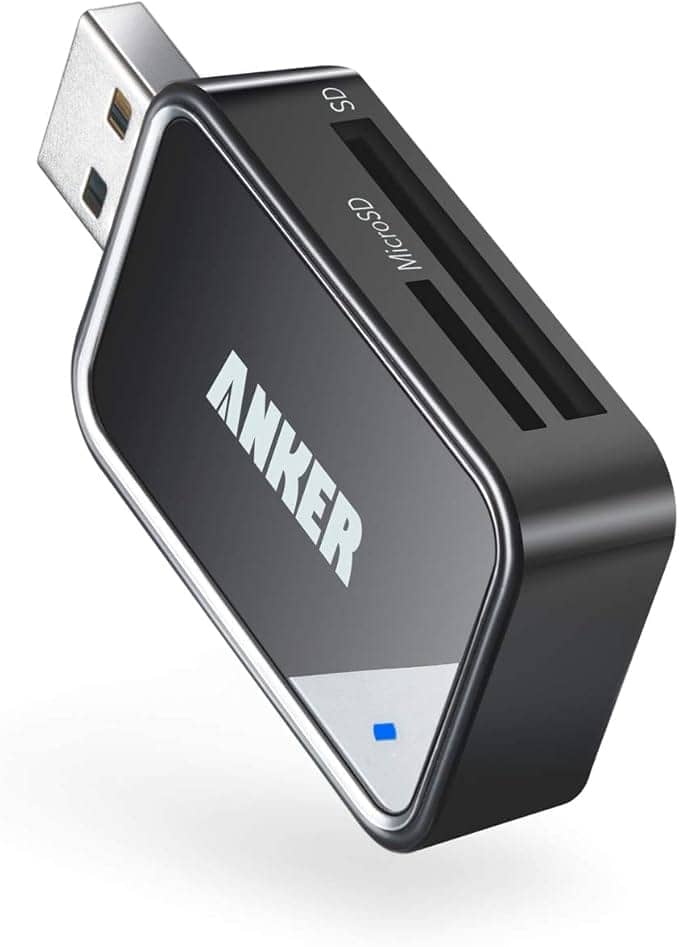
USB 3.0 2-in-1 SDカードリーダー / Micro SDカードリーダー
990 円
Amazonで詳細を見る楽天・Yahoo!ショッピングも、同じ書き味で貼れます。
楽天 サンプル
楽天: 商品URL / itemCode を取得できませんでした。
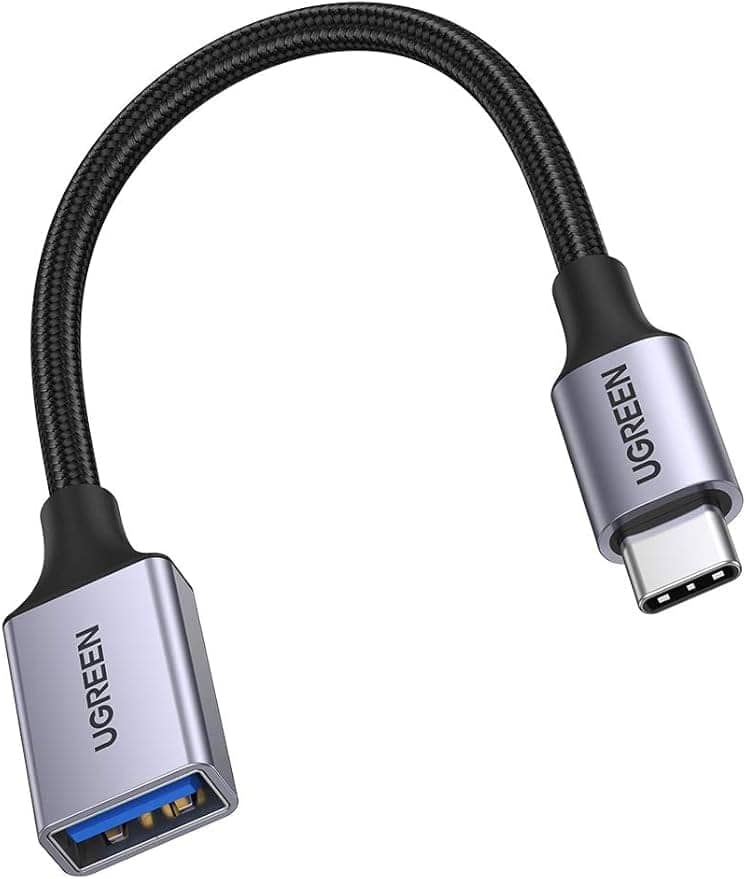
USB変換ケーブル Type C USB OTG ケーブル TypeC Thunderbolt 3対応
1,399 円
楽天市場で詳細を見るYahoo!ショッピング サンプル
Yahoo: 商品URL(href)を取得できませんでした。
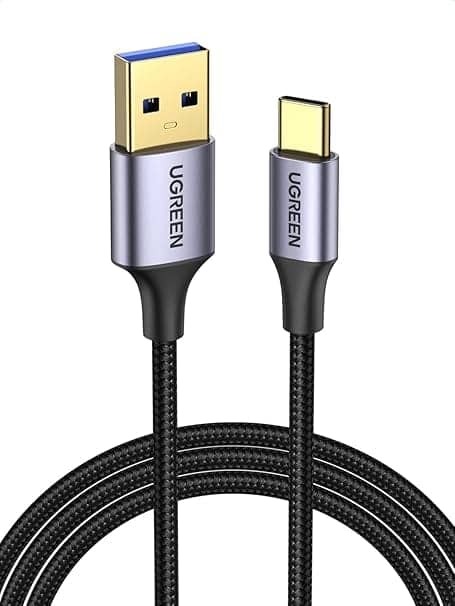
USB Type C ケーブル ナイロン編み 3A急速充電 Quick Charge 3.0/2.0対応
1,351 円
Yahoo!ショッピングで見る仕組みの全体像
作った仕組みは、大きく3つのパートに分かれます。
ひとつ目は、[amazon]・[rakuten]・[yshopping]という3つのショートコードです。いずれも属性(ブランド・タイトル・価格・画像)を受け取り、アフィリエイトリンク付きのHTMLに整形します。
ふたつ目は、投稿保存時にショートコードを固定HTMLへ変換する処理です。
みっつ目は、各ショップの商品ページから属性を自動生成するブックマークレットです。
なぜ「API」ではなく「手入力+ブックマークレット」なのか
商品リンクの自動化というと、各ショップの商品情報APIを使う方法を思い浮かべるかもしれません。実際、当初は楽天の商品検索APIを使う実装も試しました。しかし、最終的にAPIをやめて、全ショップを「ブックマークレットで属性を生成し、手入力(貼り付け)する方式」に統一しました。理由がいくつかあります。
まずAmazonは、商品情報を正規に取得する手段が「Product Advertising API(PA-API)」に限られており、このAPIは利用条件が厳しく、直近で一定数の売上がないとアクセスできません。かといって商品ページをプログラムで取得(スクレイピング)して画像や価格を抜き出す行為は、Amazonアソシエイトの規約で禁止されています。商品画像の直リンク(ホットリンク)も同様に規約違反です。そのため、Amazonは最初から手入力方式にせざるを得ません。
楽天はもともと無料の商品検索APIが使えたのですが、2026年にAPIが刷新され、認証方式が複雑になりました。新しいAPIはアクセスキーの付与や、リクエスト元のドメイン・IPアドレスの登録が必要になり、サーバーから叩くには設定と運用のハードルが上がっています。しかも、こうしたAPIは提供側の都合でエンドポイントが変わったり廃止されたりするため、依存すると保守コストが読めません。
一方、ブックマークレット+手入力方式なら、APIの認証・IP制限・仕様変更に一切振り回されません。そして重要なのは、この方式では保存時に一度だけHTMLへ固定変換するため、表示時にはAPIを叩く必要がなく、確定済みのHTMLを読むだけになる点です。表示が軽く、かつ壊れにくい。結果的に、3ショップとも同じ設計・同じ運用に統一できました。
画像についても、各ショップの画像を直リンクするのではなく、自分でダウンロードして自サイトにアップロードしたものを使います。これが規約的に安全な方法です。
ショートコードの実装
実装のコアは、投稿保存時(save_postフック)にショートコードを検出し、固定HTMLへ置き換える処理です。既存のリンクボックス機能と同じ「保存時にHTMLへ固定変換する」思想を踏襲しています。
保存時に一度だけ変換することで、表示のたびに処理を走らせる必要がなくなり、表示が軽くなります。無限ループを防ぐため、変換処理中はフラグ(transient)を立て、wp_update_postを呼ぶ前に一時的にフックを外す、という定番の対策も入れています。
各ショップとも、ショートコードの属性を受け取り、アフィリエイトリンクを組み立てて、自分のテーマのクラス名を持ったHTMLを生成します。AmazonはASINにアフィリエイトタグ(?tag=)を付与し、楽天はアフィリエイトIDを使ってhb.afl.rakuten.co.jp形式のリンクを生成、Yahooはバリューコマース経由のリンクを組み立てます。ASINやitemCodeは、専用属性で直接指定できるほか、商品ページURLをhref=で渡せば自動抽出するようにしました。
アフィリエイトIDといった認証情報は、コードの冒頭で定数として定義し、公開リポジトリにコミットしないよう分離しておくのが安全です。
実際のコード
以下が、functions.php(またはそこから読み込むshortcodes.php)に追加するコードの全体です。冒頭の定数を、自分の環境の値に置き換えて使います。楽天・YahooのIDは、使うときに設定すればよく、未設定でもAmazonは動作します。
なお、出力されるHTMLのクラス名(shopboxなど)は自分のテーマに合わせたものなので、そのままではなく、各自のクラス設計に読み替えてください。ショートコード名は[yshopping]ですが、出力のCSSクラスはis-yahooにしています。将来ヤフオクなどYahoo系サービスを足したとき、ボタン色などのスタイルを共用できるようにするためです。
<?php //(functions.php / shortcodes.php に追加)
/* -----------------------------------------------------------
* 設定:アフィリエイトID(自分の環境の値に置き換える。公開リポジトリにコミットしないこと)
* --------------------------------------------------------- */
if (!defined('AMAZON_ASSOCIATE_TAG')) {
define('AMAZON_ASSOCIATE_TAG', 'xxxxxxxx-22'); // Amazonアソシエイトタグ
}
if (!defined('RAKUTEN_AFFILIATE_ID')) {
define('RAKUTEN_AFFILIATE_ID', 'YOUR_RAKUTEN_AFFILIATE_ID'); // 楽天アフィリエイトID(xxxx.xxxx.xxxx.xxxx)
}
if (!defined('YAHOO_VALUECOMMERCE_SID')) {
define('YAHOO_VALUECOMMERCE_SID', ''); // バリューコマースsid(Yahoo。空なら素のURL)
}
if (!defined('YAHOO_VALUECOMMERCE_PID')) {
define('YAHOO_VALUECOMMERCE_PID', ''); // バリューコマースpid(Yahoo)
}
/* ===========================================================
* 保存時フック:
Amazonリンクプレビュー: ASIN= /
※保存時に商品リンクボックスへ変換されます /
楽天リンクプレビュー: /
※保存時に商品リンクボックスへ変換されます /
Yahooリンクプレビュー: /
※保存時に商品リンクボックスへ変換されます]+)]/', 'convert_single_amazon_to_html', $updated_content);
$updated_content = preg_replace_callback('/[rakutens+([^]]+)]/', 'convert_single_rakuten_to_html', $updated_content);
$updated_content = preg_replace_callback('/[yshoppings+([^]]+)]/', 'convert_single_yshopping_to_html', $updated_content);
if ($updated_content !== $content) {
remove_action('save_post', 'convert_product_shortcodes_to_html', 10);
wp_update_post(array('ID' => $post_id, 'post_content' => $updated_content));
add_action('save_post', 'convert_product_shortcodes_to_html', 10, 3);
}
delete_transient('product_linkbox_processing_' . $post_id);
}
/* -----------------------------------------------------------
* 属性文字列を配列にパースする簡易ヘルパー
* --------------------------------------------------------- */
function product_parse_shortcode_atts($atts_string)
{
$atts = array();
if (preg_match_all('/(w+)s*=s*["']([^"']*)["']/', $atts_string, $m, PREG_SET_ORDER)) {
foreach ($m as $pair) {
$atts[strtolower($pair[1])] = trim($pair[2]);
}
}
return $atts;
}
/* ===========================================================
* Amazon
* ========================================================= */
function convert_single_amazon_to_html($matches)
{
$atts = product_parse_shortcode_atts($matches[1]);
$asin = isset($atts['asin']) ? trim($atts['asin']) : '';
if ($asin === '' && !empty($atts['href'])) {
$asin = amazon_extract_asin_from_url($atts['href']);
}
if ($asin === '') {
return '<p>Amazon: ASIN を取得できませんでした。</p>';
}
$url = 'https://www.amazon.co.jp/dp/' . rawurlencode($asin) . '/';
if (AMAZON_ASSOCIATE_TAG !== '') {
$url = add_query_arg('tag', AMAZON_ASSOCIATE_TAG, $url);
}
return build_product_linkbox_html(array(
'shop' => 'amazon',
'shop_label' => 'Amazonで詳細を見る',
'url' => $url,
'brand' => isset($atts['brand']) ? $atts['brand'] : '',
'title' => isset($atts['title']) ? $atts['title'] : '',
'price' => isset($atts['price']) ? $atts['price'] : '',
'img' => isset($atts['img']) ? $atts['img'] : '',
));
}
function amazon_extract_asin_from_url($url)
{
if (preg_match('#/(?:dp|gp/product|gp/aw/d|exec/obidos/asin)/([A-Z0-9]{10})#i', $url, $m)) {
return strtoupper($m[1]);
}
if (preg_match('#/([A-Z0-9]{10})(?:[/?]|$)#i', $url, $m)) {
return strtoupper($m[1]);
}
return '';
}
/* ===========================================================
* 楽天(属性を整形+アフィリエイトURLを自前生成)
* ========================================================= */
function convert_single_rakuten_to_html($matches)
{
$atts = product_parse_shortcode_atts($matches[1]);
$item_url = !empty($atts['href']) ? trim($atts['href']) : '';
if ($item_url === '' && !empty($atts['itemcode'])) {
$parts = explode(':', $atts['itemcode']);
if (count($parts) === 2) {
$item_url = 'https://item.rakuten.co.jp/' . $parts[0] . '/' . $parts[1] . '/';
}
}
if ($item_url === '') {
return '<p>楽天: 商品URL / itemCode を取得できませんでした。</p>';
}
$url = rakuten_build_affiliate_url($item_url);
return build_product_linkbox_html(array(
'shop' => 'rakuten',
'shop_label' => '楽天市場で詳細を見る',
'url' => $url,
'brand' => isset($atts['brand']) ? $atts['brand'] : '',
'title' => isset($atts['title']) ? $atts['title'] : '',
'price' => isset($atts['price']) ? $atts['price'] : '',
'img' => isset($atts['img']) ? $atts['img'] : '',
));
}
// 楽天アフィリエイトURLを自前生成
function rakuten_build_affiliate_url($item_url)
{
if ($item_url === '') {
return '';
}
if (strpos($item_url, 'hb.afl.rakuten.co.jp') !== false) {
return $item_url; // すでにアフィリエイトURL
}
if (RAKUTEN_AFFILIATE_ID === '' || RAKUTEN_AFFILIATE_ID === 'YOUR_RAKUTEN_AFFILIATE_ID') {
return $item_url; // 未設定なら素のURL
}
return 'https://hb.afl.rakuten.co.jp/ichiba/'
. RAKUTEN_AFFILIATE_ID . '/?pc=' . rawurlencode($item_url)
. '&m=' . rawurlencode($item_url);
}
/* ===========================================================
* Yahoo!ショッピング(属性を整形+任意でVCアフィリ)
* ※ ショートコードは
Yahooリンクプレビュー: /
※保存時に商品リンクボックスへ変換されます);
$item_url = !empty($atts['href']) ? trim($atts['href']) : '';
if ($item_url === '') {
return '<p>Yahoo: 商品URL(href)を取得できませんでした。</p>';
}
$url = yahoo_build_affiliate_url($item_url);
return build_product_linkbox_html(array(
'shop' => 'yahoo', // ← CSSクラス is-yahoo に対応
'shop_label' => 'Yahoo!ショッピングで見る',
'url' => $url,
'brand' => isset($atts['brand']) ? $atts['brand'] : '',
'title' => isset($atts['title']) ? $atts['title'] : '',
'price' => isset($atts['price']) ? $atts['price'] : '',
'img' => isset($atts['img']) ? $atts['img'] : '',
));
}
// Yahoo(バリューコマース)アフィリエイトURLを生成。sid/pid未設定なら素のURL
function yahoo_build_affiliate_url($item_url)
{
if (YAHOO_VALUECOMMERCE_SID === '' || YAHOO_VALUECOMMERCE_PID === '') {
return $item_url;
}
return 'https://ck.jp.ap.valuecommerce.com/servlet/referral'
. '?sid=' . rawurlencode(YAHOO_VALUECOMMERCE_SID)
. '&pid=' . rawurlencode(YAHOO_VALUECOMMERCE_PID)
. '&vc_url=' . rawurlencode($item_url);
}
/* ===========================================================
* 共通:商品リンクボックスのHTMLを生成
* 構造:figure.shopbox.is-{shop}(クラス名は自分のテーマに合わせる)
* ========================================================= */
function build_product_linkbox_html($p)
{
$shop = $p['shop'];
$shop_label = $p['shop_label'];
$url = $p['url'];
$brand = $p['brand'];
$title = $p['title'];
$price = $p['price'];
$img = $p['img'];
// 画像(alt は title のみ)
$img_html = '';
if ($img !== '') {
$img_html = sprintf(
'<picture class="shopbox-thumbnail"><img width="300" height="300" src="%s" alt="%s" loading="lazy" /></picture>',
esc_url($img),
esc_attr($title)
);
}
// ブランド
$brand_html = $brand !== ''
? sprintf('<span class="shopbox-brand">%s</span>', esc_html($brand))
: '';
// タイトル
$title_html = sprintf('<h4 class="shopbox-title">%s</h4>', esc_html($title));
// 価格(数値なら3桁区切り。単位は <u> で分離)
$price_html = '';
if ($price !== '') {
$price_num = preg_replace('/[^d]/', '', (string)$price);
if ($price_num !== '') {
$price_html = sprintf(
'<p class="shopbox-price fz-lg">%s<u class="shopbox-price-unit"> 円</u></p>',
number_format((int)$price_num)
);
}
}
// ボタン
$button_html = sprintf(
'<a href="%s" class="shopbox-button button is-%s is-solided is-success hvr-layInLeft" target="_blank" rel="nofollow sponsored noopener">%s</a>',
esc_url($url),
esc_attr($shop),
esc_html($shop_label)
);
return sprintf(
'<figure class="shopbox is-%s my-1.5r">%s%s%s%s%s</figure>',
esc_attr($shop),
$img_html,
$brand_html,
$title_html,
$price_html,
$button_html
);
}
/* ===========================================================
* 下書きプレビュー用(保存前の確認)
* ========================================================= */
function shortcode_amazon_preview($atts)
{
$a = shortcode_atts(array('asin' => '', 'href' => '', 'brand' => '', 'title' => '', 'price' => '', 'img' => ''), $atts);
$asin = $a['asin'] !== '' ? $a['asin'] : amazon_extract_asin_from_url($a['href']);
return '<div style="border:2px dashed #f0a;padding:10px;margin:10px 0;">
<strong>Amazonリンクプレビュー:</strong> ASIN=' . esc_html($asin) . ' / ' . esc_html($a['title']) . '<br>
<small>※保存時に商品リンクボックスへ変換されます</small></div>';
}
add_shortcode('amazon', 'shortcode_amazon_preview');
function shortcode_rakuten_preview($atts)
{
$a = shortcode_atts(array('itemcode' => '', 'href' => '', 'brand' => '', 'title' => '', 'price' => '', 'img' => ''), $atts);
$ref = $a['href'] !== '' ? $a['href'] : $a['itemcode'];
return '<div style="border:2px dashed #c00;padding:10px;margin:10px 0;">
<strong>楽天リンクプレビュー:</strong> ' . esc_html($ref) . ' / ' . esc_html($a['title']) . '<br>
<small>※保存時に商品リンクボックスへ変換されます</small></div>';
}
add_shortcode('rakuten', 'shortcode_rakuten_preview');
function shortcode_yshopping_preview($atts)
{
$a = shortcode_atts(array('href' => '', 'brand' => '', 'title' => '', 'price' => '', 'img' => ''), $atts);
return '<div style="border:2px dashed #609;padding:10px;margin:10px 0;">
<strong>Yahooリンクプレビュー:</strong> ' . esc_html($a['href']) . ' / ' . esc_html($a['title']) . '<br>
<small>※保存時に商品リンクボックスへ変換されます</small></div>';
}
add_shortcode('yshopping', 'shortcode_yshopping_preview');コードは大きく、認証情報の定義、保存時フック、Amazon変換、楽天変換、Yahoo変換、共通のHTML生成、下書きプレビュー、というパートで構成されています。build_product_linkbox_html()が3ショップ共通のHTML生成部分なので、デザインを変えたいときはここだけ触ればよい作りです。
ブックマークレットで属性入力も自動化
属性を手入力する方式にしましたが、毎回タイトルや価格を手で打つのは現実的ではありません。そこで、各ショップの商品ページを開いた状態でクリックするだけで、必要な属性が埋まったショートコードを生成するブックマークレットを作りました。
ブックマークレットをクリックすると、ショートコードがプロンプトに表示され、同時にクリップボードにもコピーされます。あとは記事に貼り付けて、ブランドを整え、画像パスを自分のものに差し替えれば完成です。

Amazon用ブックマークレット
価格の取得だけは工夫が必要でした。Amazonの商品ページには、本体価格・クーポン価格・ポイント・分割払いなど複数の価格要素が混在するため、メインの価格ブロックを先に絞り込んでから価格を取得しています。
javascript:(function(){ var host = location.host; if (host.indexOf('amazon.co.jp') === -1) { alert('Error:Amazonの商品ページではありません。'); return; } var matched = location.href.match(/(?:dp|gp/product|gp/aw/d|o|-|ASIN|product)/(B[0-9A-Z]{9}|[0-9]{9}(?:X|[0-9]))/); var asin = matched != null ? matched[1] : ''; var titleElems = [ document.getElementById('productTitle'), document.getElementById('ebooksProductTitle'), document.getElementById('aiv-content-title'), document.getElementById('title_feature_div') ].filter(function(v){ return v != null; }); var title = titleElems.length ? titleElems[0].innerText.trim().replace(/[[]]/g, '') : ''; var brand = ''; var storeEl = document.getElementById('visitStoreDesktopUrl') || document.getElementById('bylineInfo'); if (storeEl) { brand = storeEl.innerText.trim().replace(/のストアを表示$/, '').replace(/ブランド:s*/, '').replace(/を検索$/, '').replace(/のストア$/, '').trim(); } var price = ''; var priceScope = document.getElementById('corePriceDisplay_desktop_feature_div') || document.getElementById('corePrice_feature_div') || document.querySelector('.priceToPay') || document.querySelector('.reinventPricePriceToPayMargin') || document; var priceEl = priceScope.querySelector('.a-price-whole'); if (priceEl) { price = priceEl.innerText.replace(/[^d]/g, ''); } if (!asin) { alert('Error:ASINが見つかりませんでした。'); return; } var shortcode = 'Amazon: ASIN を取得できませんでした。
'; function done(){ alert('コピーしました。nn' + shortcode); } function fallback(){ var ta = document.createElement('textarea'); ta.value = shortcode; ta.style.position = 'fixed'; ta.style.top = '-1000px'; document.body.appendChild(ta); ta.focus(); ta.select(); try { document.execCommand('copy'); } catch (e) {} document.body.removeChild(ta); done(); } if (navigator.clipboard && navigator.clipboard.writeText) { navigator.clipboard.writeText(shortcode).then(done, fallback); } else { fallback(); } })();void(0);楽天用ブックマークレット
楽天はitemprop="price"から価格を確実に取得し、og:titleから接頭辞「【楽天市場】」と接尾辞「:〇〇楽天市場店」を除去して商品名だけ残します。ブランドは店舗名しか持たないため空にしておき、必要なら手入力します。
javascript:(function(){ var host = location.host; if (host.indexOf('rakuten.co.jp') === -1) { alert('Error:楽天市場の商品ページではありません。'); return; } var itemUrl = location.href.split('?')[0]; var mItem = itemUrl.match(/item.rakuten.co.jp/([^/]+)/([^/]+)/); var itemcode = mItem ? (mItem[1] + ':' + mItem[2]) : ''; var title = ''; var ogTitle = document.querySelector('meta[property="og:title"]'); if (ogTitle) { title = ogTitle.content; } else if (document.title) { title = document.title; } title = title.replace(/^【楽天市場】/, '').replace(/:[^:]*$/, '').trim().replace(/[[]]/g, ''); var price = ''; var priceEl = document.querySelector('[itemprop="price"]'); if (priceEl) { price = (priceEl.getAttribute('content') || priceEl.textContent).replace(/[^d]/g, ''); } if (!price) { var pm = document.body.innerHTML.match(/itemprop="price"s+content="(d+)"/); if (pm) { price = pm[1]; } } var brand = ''; if (!itemcode) { alert('Error:itemCodeが取得できませんでした。'); return; } var shortcode = '楽天: 商品URL / itemCode を取得できませんでした。
'; function done(){ alert('コピーしました。nn' + shortcode); } function fallback(){ var ta = document.createElement('textarea'); ta.value = shortcode; ta.style.position = 'fixed'; ta.style.top = '-1000px'; document.body.appendChild(ta); ta.focus(); ta.select(); try { document.execCommand('copy'); } catch (e) {} document.body.removeChild(ta); done(); } if (navigator.clipboard && navigator.clipboard.writeText) { navigator.clipboard.writeText(shortcode).then(done, fallback); } else { fallback(); } })();void(0);Yahoo!ショッピング用ブックマークレット
Yahooも同様に、商品URLとog:title、価格を抜き出します。タイトルからYahoo系の接尾辞を除去し、生成するショートコードは[yshopping]です。
javascript:(function(){ var host = location.host; if (host.indexOf('yahoo.co.jp') === -1) { alert('Error:Yahoo!ショッピングの商品ページではありません。'); return; } var itemUrl = location.href.split('?')[0]; var title = ''; var ogTitle = document.querySelector('meta[property="og:title"]'); if (ogTitle) { title = ogTitle.content; } else if (document.title) { title = document.title; } title = title.replace(/s*[-||]s*Yahoo!?ショッピング.*$/, '').replace(/s*-s*PayPay.*$/, '').trim().replace(/[[]]/g, ''); var price = ''; var ogPrice = document.querySelector('meta[property="product:price:amount"], meta[property="og:price:amount"]'); if (ogPrice) { price = (ogPrice.content || '').replace(/[^d]/g, ''); } if (!price) { var ip = document.querySelector('[itemprop="price"]'); if (ip) { price = (ip.getAttribute('content') || ip.textContent).replace(/[^d]/g, ''); } } var brand = ''; var shortcode = 'Yahoo: 商品URL(href)を取得できませんでした。
'; function done(){ alert('コピーしました。nn' + shortcode); } function fallback(){ var ta = document.createElement('textarea'); ta.value = shortcode; ta.style.position = 'fixed'; ta.style.top = '-1000px'; document.body.appendChild(ta); ta.focus(); ta.select(); try { document.execCommand('copy'); } catch (e) {} document.body.removeChild(ta); done(); } if (navigator.clipboard && navigator.clipboard.writeText) { navigator.clipboard.writeText(shortcode).then(done, fallback); } else { fallback(); } })();void(0);ブックマークを新規作成し、名前を任意(例:「Amazon→shopbox」)に、URL欄にこの1行を貼り付ければ完成です。ショップごとに3つ登録しておけば、各商品ページでクリックするだけで属性の埋まったショートコードが手に入ります。
CSSでデザインを組む
出力されるHTMLはfigure.shopbox.is-{shop}という構造なので、あとは自分のCSSで自由にデザインできます。サムネイルを左に回り込ませ、右側にブランド・タイトル・価格・ボタンを積む、MyBest風のレイアウトの例です(カスタムプロパティ名は自分のテーマに合わせて読み替えてください)。
.shopbox {
  display: flow-root;
  padding: calc(var(--⅔fem) * 1.5);
  border: 1px solid var(--c-base-200, hsl(224, 6%, 84%));
  box-shadow: 0 1px 1px rgba(0, 0, 0, .05);
  background: var(--c-base, hsl(224, 6%, 100%));
}

.shopbox .shopbox-thumbnail {
  float: left;
  max-width: calc(var(--⅗fem) * 12 + (var(--⅝fem) * 1.5));
  padding: 0lh calc(var(--⅝fem) * 1.5) 0.08lh 0pc;
}

.shopbox .shopbox-thumbnail img {
  width: 100%;
  height: 100%;
}

.shopbox .shopbox-brand {
  font-weight: 600;
  color: var(--c-base-400, hsl(224, 6%, 63%));
}

.shopbox .shopbox-title {
  line-height: 1.33;
  font-weight: 600;
  color: var(--c-base-900, hsl(224, 6%, 13%));
  margin-block: calc(var(--⅞fem) * 0.5) calc(var(--⅞fem) * 0.25);
}

.shopbox .shopbox-price {
  font-weight: 600;
  color: var(--c-caution, hsl(13, 99%, 43%));
}

.shopbox .shopbox-price-unit {
  color: var(--c-base-900, hsl(224, 6%, 13%));
}

.shopbox .shopbox-button {
  display: flex;
  min-height: 4rem;
  margin-top: 0.5rem;
  border-radius: 4px;
}ボタンの色はis-amazon・is-rakuten・is-yahooのクラスで出し分けできます。ショップのブランドカラーに合わせておくと、読者がどのショップへのリンクか一目で分かります。
まとめ
商品リンクを大量に扱う本格的な物販サイトであれば、商品データを一元管理できるRinkerのようなプラグインの恩恵は大きいです。しかし、「自分のテーマに最適化した見た目で、商品リンクをサッと貼りたいだけ」という用途なら、ショートコードとブックマークレットの自作が、シンプルで速く、デザインの自由度も高い選択肢になります。
WordPressで商品リンクを貼るとき、定番プラグイン「Rinker」を使っている人は多いと思います。ただ、実際に使ってみると「商品リンクを1つ貼るだけなのに、設定項目が多くて時間がかかる」と感じたことはないでしょうか。
この記事では、Rinkerをやめて、自作のショートコード+ブックマークレットで商品リンクを爆速で貼れるようにする方法を紹介します。Amazon・楽天・Yahoo!ショッピングの3ショップに対応し、カスタムテーマを使っている人、自分でHTML構造をコントロールしたい人向けの内容です。
なぜRinkerが「面倒」に感じるのか
Rinkerは、商品データを一元管理できる高機能なプラグインです。しかし、商品リンクを1つ登録するだけでも、専用の投稿タイプで商品情報・ASIN・タイトル・各ショップのURL・画像などを入力し、生成されたショートコードを記事に貼る、という手順を踏む必要があり、ちょっとした商品リンクを1つ入れたいだけの場面では、この工程が重く感じます。
そこで、「商品リンクを貼る」という一点に絞って、自分のテーマに最適化した仕組みを自作することにしました。
完成イメージ:ショートコードを貼るだけ
最終的に、記事本文には次のようなショートコードを書くだけで済むようにしました。
[amazon asin="B006T9B6R2" brand="Anker" title="USB 3.0 2-in-1 SDカードリーダー / Micro SDカードリーダー" price="990" img="/wp-content/uploads/sample.jpg"]これが、投稿を保存したタイミングで、自分のテーマのクラス名を持ったHTMLに自動変換されます。デザインは自分のCSSで自由に組めるので、サイトのトンマナに多くの馴染みます。さらに後述するブックマークレットを使えば、この属性の入力すらほぼ自動化できます。
Amazon サンプル
USB 3.0 2-in-1 SDカードリーダー / Micro SDカードリーダー
990 円
Amazonで詳細を見る楽天・Yahoo!ショッピングも、同じ書き味で貼れます。
楽天 サンプル
楽天: 商品URL / itemCode を取得できませんでした。
USB変換ケーブル Type C USB OTG ケーブル TypeC Thunderbolt 3対応
1,399 円
楽天市場で詳細を見るYahoo!ショッピング サンプル
Yahoo: 商品URL(href)を取得できませんでした。
USB Type C ケーブル ナイロン編み 3A急速充電 Quick Charge 3.0/2.0対応
1,351 円
Yahoo!ショッピングで見る仕組みの全体像
作った仕組みは、大きく3つのパートに分かれます。
ひとつ目は、[amazon]・[rakuten]・[yshopping]という3つのショートコードです。いずれも属性(ブランド・タイトル・価格・画像)を受け取り、アフィリエイトリンク付きのHTMLに整形します。
ふたつ目は、投稿保存時にショートコードを固定HTMLへ変換する処理です。
みっつ目は、各ショップの商品ページから属性を自動生成するブックマークレットです。
なぜ「API」ではなく「手入力+ブックマークレット」なのか
商品リンクの自動化というと、各ショップの商品情報APIを使う方法を思い浮かべるかもしれません。実際、当初は楽天の商品検索APIを使う実装も試しました。しかし、最終的にAPIをやめて、全ショップを「ブックマークレットで属性を生成し、手入力(貼り付け)する方式」に統一しました。理由がいくつかあります。
まずAmazonは、商品情報を正規に取得する手段が「Product Advertising API(PA-API)」に限られており、このAPIは利用条件が厳しく、直近で一定数の売上がないとアクセスできません。かといって商品ページをプログラムで取得(スクレイピング)して画像や価格を抜き出す行為は、Amazonアソシエイトの規約で禁止されています。商品画像の直リンク(ホットリンク)も同様に規約違反です。そのため、Amazonは最初から手入力方式にせざるを得ません。
楽天はもともと無料の商品検索APIが使えたのですが、2026年にAPIが刷新され、認証方式が複雑になりました。新しいAPIはアクセスキーの付与や、リクエスト元のドメイン・IPアドレスの登録が必要になり、サーバーから叩くには設定と運用のハードルが上がっています。しかも、こうしたAPIは提供側の都合でエンドポイントが変わったり廃止されたりするため、依存すると保守コストが読めません。
一方、ブックマークレット+手入力方式なら、APIの認証・IP制限・仕様変更に一切振り回されません。そして重要なのは、この方式では保存時に一度だけHTMLへ固定変換するため、表示時にはAPIを叩く必要がなく、確定済みのHTMLを読むだけになる点です。表示が軽く、かつ壊れにくい。結果的に、3ショップとも同じ設計・同じ運用に統一できました。
画像についても、各ショップの画像を直リンクするのではなく、自分でダウンロードして自サイトにアップロードしたものを使います。これが規約的に安全な方法です。
ショートコードの実装
実装のコアは、投稿保存時(save_postフック)にショートコードを検出し、固定HTMLへ置き換える処理です。既存のリンクボックス機能と同じ「保存時にHTMLへ固定変換する」思想を踏襲しています。
保存時に一度だけ変換することで、表示のたびに処理を走らせる必要がなくなり、表示が軽くなります。無限ループを防ぐため、変換処理中はフラグ(transient)を立て、wp_update_postを呼ぶ前に一時的にフックを外す、という定番の対策も入れています。
各ショップとも、ショートコードの属性を受け取り、アフィリエイトリンクを組み立てて、自分のテーマのクラス名を持ったHTMLを生成します。AmazonはASINにアフィリエイトタグ(?tag=)を付与し、楽天はアフィリエイトIDを使ってhb.afl.rakuten.co.jp形式のリンクを生成、Yahooはバリューコマース経由のリンクを組み立てます。ASINやitemCodeは、専用属性で直接指定できるほか、商品ページURLをhref=で渡せば自動抽出するようにしました。
アフィリエイトIDといった認証情報は、コードの冒頭で定数として定義し、公開リポジトリにコミットしないよう分離しておくのが安全です。
実際のコード
以下が、functions.php(またはそこから読み込むshortcodes.php)に追加するコードの全体です。冒頭の定数を、自分の環境の値に置き換えて使います。楽天・YahooのIDは、使うときに設定すればよく、未設定でもAmazonは動作します。
なお、出力されるHTMLのクラス名(shopboxなど)は自分のテーマに合わせたものなので、そのままではなく、各自のクラス設計に読み替えてください。ショートコード名は[yshopping]ですが、出力のCSSクラスはis-yahooにしています。将来ヤフオクなどYahoo系サービスを足したとき、ボタン色などのスタイルを共用できるようにするためです。
<?php //(functions.php / shortcodes.php に追加)
/* -----------------------------------------------------------
* 設定:アフィリエイトID(自分の環境の値に置き換える。公開リポジトリにコミットしないこと)
* --------------------------------------------------------- */
if (!defined('AMAZON_ASSOCIATE_TAG')) {
define('AMAZON_ASSOCIATE_TAG', 'xxxxxxxx-22'); // Amazonアソシエイトタグ
}
if (!defined('RAKUTEN_AFFILIATE_ID')) {
define('RAKUTEN_AFFILIATE_ID', 'YOUR_RAKUTEN_AFFILIATE_ID'); // 楽天アフィリエイトID(xxxx.xxxx.xxxx.xxxx)
}
if (!defined('YAHOO_VALUECOMMERCE_SID')) {
define('YAHOO_VALUECOMMERCE_SID', ''); // バリューコマースsid(Yahoo。空なら素のURL)
}
if (!defined('YAHOO_VALUECOMMERCE_PID')) {
define('YAHOO_VALUECOMMERCE_PID', ''); // バリューコマースpid(Yahoo)
}
/* ===========================================================
* 保存時フック:
Amazonリンクプレビュー: ASIN= /
※保存時に商品リンクボックスへ変換されます /
楽天リンクプレビュー: /
※保存時に商品リンクボックスへ変換されます /
Yahooリンクプレビュー: /
※保存時に商品リンクボックスへ変換されます]+)]/', 'convert_single_amazon_to_html', $updated_content);
$updated_content = preg_replace_callback('/[rakutens+([^]]+)]/', 'convert_single_rakuten_to_html', $updated_content);
$updated_content = preg_replace_callback('/[yshoppings+([^]]+)]/', 'convert_single_yshopping_to_html', $updated_content);
if ($updated_content !== $content) {
remove_action('save_post', 'convert_product_shortcodes_to_html', 10);
wp_update_post(array('ID' => $post_id, 'post_content' => $updated_content));
add_action('save_post', 'convert_product_shortcodes_to_html', 10, 3);
}
delete_transient('product_linkbox_processing_' . $post_id);
}
/* -----------------------------------------------------------
* 属性文字列を配列にパースする簡易ヘルパー
* --------------------------------------------------------- */
function product_parse_shortcode_atts($atts_string)
{
$atts = array();
if (preg_match_all('/(w+)s*=s*["']([^"']*)["']/', $atts_string, $m, PREG_SET_ORDER)) {
foreach ($m as $pair) {
$atts[strtolower($pair[1])] = trim($pair[2]);
}
}
return $atts;
}
/* ===========================================================
* Amazon
* ========================================================= */
function convert_single_amazon_to_html($matches)
{
$atts = product_parse_shortcode_atts($matches[1]);
$asin = isset($atts['asin']) ? trim($atts['asin']) : '';
if ($asin === '' && !empty($atts['href'])) {
$asin = amazon_extract_asin_from_url($atts['href']);
}
if ($asin === '') {
return '<p>Amazon: ASIN を取得できませんでした。</p>';
}
$url = 'https://www.amazon.co.jp/dp/' . rawurlencode($asin) . '/';
if (AMAZON_ASSOCIATE_TAG !== '') {
$url = add_query_arg('tag', AMAZON_ASSOCIATE_TAG, $url);
}
return build_product_linkbox_html(array(
'shop' => 'amazon',
'shop_label' => 'Amazonで詳細を見る',
'url' => $url,
'brand' => isset($atts['brand']) ? $atts['brand'] : '',
'title' => isset($atts['title']) ? $atts['title'] : '',
'price' => isset($atts['price']) ? $atts['price'] : '',
'img' => isset($atts['img']) ? $atts['img'] : '',
));
}
function amazon_extract_asin_from_url($url)
{
if (preg_match('#/(?:dp|gp/product|gp/aw/d|exec/obidos/asin)/([A-Z0-9]{10})#i', $url, $m)) {
return strtoupper($m[1]);
}
if (preg_match('#/([A-Z0-9]{10})(?:[/?]|$)#i', $url, $m)) {
return strtoupper($m[1]);
}
return '';
}
/* ===========================================================
* 楽天(属性を整形+アフィリエイトURLを自前生成)
* ========================================================= */
function convert_single_rakuten_to_html($matches)
{
$atts = product_parse_shortcode_atts($matches[1]);
$item_url = !empty($atts['href']) ? trim($atts['href']) : '';
if ($item_url === '' && !empty($atts['itemcode'])) {
$parts = explode(':', $atts['itemcode']);
if (count($parts) === 2) {
$item_url = 'https://item.rakuten.co.jp/' . $parts[0] . '/' . $parts[1] . '/';
}
}
if ($item_url === '') {
return '<p>楽天: 商品URL / itemCode を取得できませんでした。</p>';
}
$url = rakuten_build_affiliate_url($item_url);
return build_product_linkbox_html(array(
'shop' => 'rakuten',
'shop_label' => '楽天市場で詳細を見る',
'url' => $url,
'brand' => isset($atts['brand']) ? $atts['brand'] : '',
'title' => isset($atts['title']) ? $atts['title'] : '',
'price' => isset($atts['price']) ? $atts['price'] : '',
'img' => isset($atts['img']) ? $atts['img'] : '',
));
}
// 楽天アフィリエイトURLを自前生成
function rakuten_build_affiliate_url($item_url)
{
if ($item_url === '') {
return '';
}
if (strpos($item_url, 'hb.afl.rakuten.co.jp') !== false) {
return $item_url; // すでにアフィリエイトURL
}
if (RAKUTEN_AFFILIATE_ID === '' || RAKUTEN_AFFILIATE_ID === 'YOUR_RAKUTEN_AFFILIATE_ID') {
return $item_url; // 未設定なら素のURL
}
return 'https://hb.afl.rakuten.co.jp/ichiba/'
. RAKUTEN_AFFILIATE_ID . '/?pc=' . rawurlencode($item_url)
. '&m=' . rawurlencode($item_url);
}
/* ===========================================================
* Yahoo!ショッピング(属性を整形+任意でVCアフィリ)
* ※ ショートコードは
Yahooリンクプレビュー: /
※保存時に商品リンクボックスへ変換されます);
$item_url = !empty($atts['href']) ? trim($atts['href']) : '';
if ($item_url === '') {
return '<p>Yahoo: 商品URL(href)を取得できませんでした。</p>';
}
$url = yahoo_build_affiliate_url($item_url);
return build_product_linkbox_html(array(
'shop' => 'yahoo', // ← CSSクラス is-yahoo に対応
'shop_label' => 'Yahoo!ショッピングで見る',
'url' => $url,
'brand' => isset($atts['brand']) ? $atts['brand'] : '',
'title' => isset($atts['title']) ? $atts['title'] : '',
'price' => isset($atts['price']) ? $atts['price'] : '',
'img' => isset($atts['img']) ? $atts['img'] : '',
));
}
// Yahoo(バリューコマース)アフィリエイトURLを生成。sid/pid未設定なら素のURL
function yahoo_build_affiliate_url($item_url)
{
if (YAHOO_VALUECOMMERCE_SID === '' || YAHOO_VALUECOMMERCE_PID === '') {
return $item_url;
}
return 'https://ck.jp.ap.valuecommerce.com/servlet/referral'
. '?sid=' . rawurlencode(YAHOO_VALUECOMMERCE_SID)
. '&pid=' . rawurlencode(YAHOO_VALUECOMMERCE_PID)
. '&vc_url=' . rawurlencode($item_url);
}
/* ===========================================================
* 共通:商品リンクボックスのHTMLを生成
* 構造:figure.shopbox.is-{shop}(クラス名は自分のテーマに合わせる)
* ========================================================= */
function build_product_linkbox_html($p)
{
$shop = $p['shop'];
$shop_label = $p['shop_label'];
$url = $p['url'];
$brand = $p['brand'];
$title = $p['title'];
$price = $p['price'];
$img = $p['img'];
// 画像(alt は title のみ)
$img_html = '';
if ($img !== '') {
$img_html = sprintf(
'<picture class="shopbox-thumbnail"><img width="300" height="300" src="%s" alt="%s" loading="lazy" /></picture>',
esc_url($img),
esc_attr($title)
);
}
// ブランド
$brand_html = $brand !== ''
? sprintf('<span class="shopbox-brand">%s</span>', esc_html($brand))
: '';
// タイトル
$title_html = sprintf('<h4 class="shopbox-title">%s</h4>', esc_html($title));
// 価格(数値なら3桁区切り。単位は <u> で分離)
$price_html = '';
if ($price !== '') {
$price_num = preg_replace('/[^d]/', '', (string)$price);
if ($price_num !== '') {
$price_html = sprintf(
'<p class="shopbox-price fz-lg">%s<u class="shopbox-price-unit"> 円</u></p>',
number_format((int)$price_num)
);
}
}
// ボタン
$button_html = sprintf(
'<a href="%s" class="shopbox-button button is-%s is-solided is-success hvr-layInLeft" target="_blank" rel="nofollow sponsored noopener">%s</a>',
esc_url($url),
esc_attr($shop),
esc_html($shop_label)
);
return sprintf(
'<figure class="shopbox is-%s my-1.5r">%s%s%s%s%s</figure>',
esc_attr($shop),
$img_html,
$brand_html,
$title_html,
$price_html,
$button_html
);
}
/* ===========================================================
* 下書きプレビュー用(保存前の確認)
* ========================================================= */
function shortcode_amazon_preview($atts)
{
$a = shortcode_atts(array('asin' => '', 'href' => '', 'brand' => '', 'title' => '', 'price' => '', 'img' => ''), $atts);
$asin = $a['asin'] !== '' ? $a['asin'] : amazon_extract_asin_from_url($a['href']);
return '<div style="border:2px dashed #f0a;padding:10px;margin:10px 0;">
<strong>Amazonリンクプレビュー:</strong> ASIN=' . esc_html($asin) . ' / ' . esc_html($a['title']) . '<br>
<small>※保存時に商品リンクボックスへ変換されます</small></div>';
}
add_shortcode('amazon', 'shortcode_amazon_preview');
function shortcode_rakuten_preview($atts)
{
$a = shortcode_atts(array('itemcode' => '', 'href' => '', 'brand' => '', 'title' => '', 'price' => '', 'img' => ''), $atts);
$ref = $a['href'] !== '' ? $a['href'] : $a['itemcode'];
return '<div style="border:2px dashed #c00;padding:10px;margin:10px 0;">
<strong>楽天リンクプレビュー:</strong> ' . esc_html($ref) . ' / ' . esc_html($a['title']) . '<br>
<small>※保存時に商品リンクボックスへ変換されます</small></div>';
}
add_shortcode('rakuten', 'shortcode_rakuten_preview');
function shortcode_yshopping_preview($atts)
{
$a = shortcode_atts(array('href' => '', 'brand' => '', 'title' => '', 'price' => '', 'img' => ''), $atts);
return '<div style="border:2px dashed #609;padding:10px;margin:10px 0;">
<strong>Yahooリンクプレビュー:</strong> ' . esc_html($a['href']) . ' / ' . esc_html($a['title']) . '<br>
<small>※保存時に商品リンクボックスへ変換されます</small></div>';
}
add_shortcode('yshopping', 'shortcode_yshopping_preview');コードは大きく、認証情報の定義、保存時フック、Amazon変換、楽天変換、Yahoo変換、共通のHTML生成、下書きプレビュー、というパートで構成されています。build_product_linkbox_html()が3ショップ共通のHTML生成部分なので、デザインを変えたいときはここだけ触ればよい作りです。
ブックマークレットで属性入力も自動化
属性を手入力する方式にしましたが、毎回タイトルや価格を手で打つのは現実的ではありません。そこで、各ショップの商品ページを開いた状態でクリックするだけで、必要な属性が埋まったショートコードを生成するブックマークレットを作りました。
ブックマークレットをクリックすると、ショートコードがプロンプトに表示され、同時にクリップボードにもコピーされます。あとは記事に貼り付けて、ブランドを整え、画像パスを自分のものに差し替えれば完成です。
Amazon用ブックマークレット
価格の取得だけは工夫が必要でした。Amazonの商品ページには、本体価格・クーポン価格・ポイント・分割払いなど複数の価格要素が混在するため、メインの価格ブロックを先に絞り込んでから価格を取得しています。
javascript:(function(){ var host = location.host; if (host.indexOf('amazon.co.jp') === -1) { alert('Error:Amazonの商品ページではありません。'); return; } var matched = location.href.match(/(?:dp|gp/product|gp/aw/d|o|-|ASIN|product)/(B[0-9A-Z]{9}|[0-9]{9}(?:X|[0-9]))/); var asin = matched != null ? matched[1] : ''; var titleElems = [ document.getElementById('productTitle'), document.getElementById('ebooksProductTitle'), document.getElementById('aiv-content-title'), document.getElementById('title_feature_div') ].filter(function(v){ return v != null; }); var title = titleElems.length ? titleElems[0].innerText.trim().replace(/[[]]/g, '') : ''; var brand = ''; var storeEl = document.getElementById('visitStoreDesktopUrl') || document.getElementById('bylineInfo'); if (storeEl) { brand = storeEl.innerText.trim().replace(/のストアを表示$/, '').replace(/ブランド:s*/, '').replace(/を検索$/, '').replace(/のストア$/, '').trim(); } var price = ''; var priceScope = document.getElementById('corePriceDisplay_desktop_feature_div') || document.getElementById('corePrice_feature_div') || document.querySelector('.priceToPay') || document.querySelector('.reinventPricePriceToPayMargin') || document; var priceEl = priceScope.querySelector('.a-price-whole'); if (priceEl) { price = priceEl.innerText.replace(/[^d]/g, ''); } if (!asin) { alert('Error:ASINが見つかりませんでした。'); return; } var shortcode = 'Amazon: ASIN を取得できませんでした。
'; function done(){ alert('コピーしました。nn' + shortcode); } function fallback(){ var ta = document.createElement('textarea'); ta.value = shortcode; ta.style.position = 'fixed'; ta.style.top = '-1000px'; document.body.appendChild(ta); ta.focus(); ta.select(); try { document.execCommand('copy'); } catch (e) {} document.body.removeChild(ta); done(); } if (navigator.clipboard && navigator.clipboard.writeText) { navigator.clipboard.writeText(shortcode).then(done, fallback); } else { fallback(); } })();void(0);楽天用ブックマークレット
楽天はitemprop="price"から価格を確実に取得し、og:titleから接頭辞「【楽天市場】」と接尾辞「:〇〇楽天市場店」を除去して商品名だけ残します。ブランドは店舗名しか持たないため空にしておき、必要なら手入力します。
javascript:(function(){ var host = location.host; if (host.indexOf('rakuten.co.jp') === -1) { alert('Error:楽天市場の商品ページではありません。'); return; } var itemUrl = location.href.split('?')[0]; var mItem = itemUrl.match(/item.rakuten.co.jp/([^/]+)/([^/]+)/); var itemcode = mItem ? (mItem[1] + ':' + mItem[2]) : ''; var title = ''; var ogTitle = document.querySelector('meta[property="og:title"]'); if (ogTitle) { title = ogTitle.content; } else if (document.title) { title = document.title; } title = title.replace(/^【楽天市場】/, '').replace(/:[^:]*$/, '').trim().replace(/[[]]/g, ''); var price = ''; var priceEl = document.querySelector('[itemprop="price"]'); if (priceEl) { price = (priceEl.getAttribute('content') || priceEl.textContent).replace(/[^d]/g, ''); } if (!price) { var pm = document.body.innerHTML.match(/itemprop="price"s+content="(d+)"/); if (pm) { price = pm[1]; } } var brand = ''; if (!itemcode) { alert('Error:itemCodeが取得できませんでした。'); return; } var shortcode = '楽天: 商品URL / itemCode を取得できませんでした。
'; function done(){ alert('コピーしました。nn' + shortcode); } function fallback(){ var ta = document.createElement('textarea'); ta.value = shortcode; ta.style.position = 'fixed'; ta.style.top = '-1000px'; document.body.appendChild(ta); ta.focus(); ta.select(); try { document.execCommand('copy'); } catch (e) {} document.body.removeChild(ta); done(); } if (navigator.clipboard && navigator.clipboard.writeText) { navigator.clipboard.writeText(shortcode).then(done, fallback); } else { fallback(); } })();void(0);Yahoo!ショッピング用ブックマークレット
Yahooも同様に、商品URLとog:title、価格を抜き出します。タイトルからYahoo系の接尾辞を除去し、生成するショートコードは[yshopping]です。
javascript:(function(){ var host = location.host; if (host.indexOf('yahoo.co.jp') === -1) { alert('Error:Yahoo!ショッピングの商品ページではありません。'); return; } var itemUrl = location.href.split('?')[0]; var title = ''; var ogTitle = document.querySelector('meta[property="og:title"]'); if (ogTitle) { title = ogTitle.content; } else if (document.title) { title = document.title; } title = title.replace(/s*[-||]s*Yahoo!?ショッピング.*$/, '').replace(/s*-s*PayPay.*$/, '').trim().replace(/[[]]/g, ''); var price = ''; var ogPrice = document.querySelector('meta[property="product:price:amount"], meta[property="og:price:amount"]'); if (ogPrice) { price = (ogPrice.content || '').replace(/[^d]/g, ''); } if (!price) { var ip = document.querySelector('[itemprop="price"]'); if (ip) { price = (ip.getAttribute('content') || ip.textContent).replace(/[^d]/g, ''); } } var brand = ''; var shortcode = 'Yahoo: 商品URL(href)を取得できませんでした。
'; function done(){ alert('コピーしました。nn' + shortcode); } function fallback(){ var ta = document.createElement('textarea'); ta.value = shortcode; ta.style.position = 'fixed'; ta.style.top = '-1000px'; document.body.appendChild(ta); ta.focus(); ta.select(); try { document.execCommand('copy'); } catch (e) {} document.body.removeChild(ta); done(); } if (navigator.clipboard && navigator.clipboard.writeText) { navigator.clipboard.writeText(shortcode).then(done, fallback); } else { fallback(); } })();void(0);ブックマークを新規作成し、名前を任意(例:「Amazon→shopbox」)に、URL欄にこの1行を貼り付ければ完成です。ショップごとに3つ登録しておけば、各商品ページでクリックするだけで属性の埋まったショートコードが手に入ります。
CSSでデザインを組む
出力されるHTMLはfigure.shopbox.is-{shop}という構造なので、あとは自分のCSSで自由にデザインできます。サムネイルを左に回り込ませ、右側にブランド・タイトル・価格・ボタンを積む、MyBest風のレイアウトの例です(カスタムプロパティ名は自分のテーマに合わせて読み替えてください)。
.shopbox {
  display: flow-root;
  padding: calc(var(--⅔fem) * 1.5);
  border: 1px solid var(--c-base-200, hsl(224, 6%, 84%));
  box-shadow: 0 1px 1px rgba(0, 0, 0, .05);
  background: var(--c-base, hsl(224, 6%, 100%));
}

.shopbox .shopbox-thumbnail {
  float: left;
  max-width: calc(var(--⅗fem) * 12 + (var(--⅝fem) * 1.5));
  padding: 0lh calc(var(--⅝fem) * 1.5) 0.08lh 0pc;
}

.shopbox .shopbox-thumbnail img {
  width: 100%;
  height: 100%;
}

.shopbox .shopbox-brand {
  font-weight: 600;
  color: var(--c-base-400, hsl(224, 6%, 63%));
}

.shopbox .shopbox-title {
  line-height: 1.33;
  font-weight: 600;
  color: var(--c-base-900, hsl(224, 6%, 13%));
  margin-block: calc(var(--⅞fem) * 0.5) calc(var(--⅞fem) * 0.25);
}

.shopbox .shopbox-price {
  font-weight: 600;
  color: var(--c-caution, hsl(13, 99%, 43%));
}

.shopbox .shopbox-price-unit {
  color: var(--c-base-900, hsl(224, 6%, 13%));
}

.shopbox .shopbox-button {
  display: flex;
  min-height: 4rem;
  margin-top: 0.5rem;
  border-radius: 4px;
}ボタンの色はis-amazon・is-rakuten・is-yahooのクラスで出し分けできます。ショップのブランドカラーに合わせておくと、読者がどのショップへのリンクか一目で分かります。
まとめ
商品リンクを大量に扱う本格的な物販サイトであれば、商品データを一元管理できるRinkerのようなプラグインの恩恵は大きいです。しかし、「自分のテーマに最適化した見た目で、商品リンクをサッと貼りたいだけ」という用途なら、ショートコードとブックマークレットの自作が、シンプルで速く、デザインの自由度も高い選択肢になります。